General
Hardware Required for a Stand Alone Database System
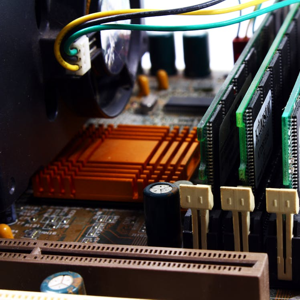
Running a stand-alone, single-user database system, like Tracker Ten, for a home office or small business does not require enterprise-grade servers or complex infrastructure, but it does demand thoughtful hardware choices. The reliability, performance, and longevity of the database depend heavily on the underlying hardware. A well-balanced system ensures that data entry is smooth, searches are fast, reports generate quickly, and—most importantly—data remains safe. Understanding the role of each hardware component helps individuals and small businesses build or select a system that meets their needs without unnecessary cost or complexity.
At the center of any stand-alone database system is the computer itself. For a single user, a modern desktop or laptop is more than capable of handling typical database workloads. The key requirement is stability rather than raw power. Databases perform frequent read and write operations, and consistent performance over long periods is more important than peak benchmark numbers. A system built with consumer-grade components can be perfectly adequate, provided those components are reliable and properly configured.
The processor, or CPU, plays a significant role in overall responsiveness. For a single-user database, a modern multi-core processor is ideal, but extreme core counts are unnecessary. Most desktop database engines and database-driven applications rely more on single-threaded or lightly multi-threaded performance than on massive parallelism. A current-generation dual-core or quad-core CPU provides ample processing power for data entry, searching, indexing, and report generation. The focus should be on a balanced, well-cooled processor that can run at stable speeds for extended sessions.
Memory, or RAM, is one of the most important components for database performance. Databases frequently cache records, indexes, and query results in memory to reduce disk access. For a stand-alone system, sufficient RAM ensures smooth operation and minimizes delays when navigating large datasets. A practical minimum for a home or small business database system is 8 GB of RAM, while 16 GB provides additional headroom for larger databases, image attachments, and multitasking. Adequate memory also helps prevent slowdowns when generating reports or working with multiple windows or applications alongside the database.
Storage is arguably the most critical hardware component for a database system, as it directly affects both performance and data safety. Solid-state drives have become the standard choice due to their speed, durability, and low latency. For a stand-alone database, using an SSD for the operating system and database files dramatically improves responsiveness, particularly when opening files, performing searches, or saving records. Traditional hard drives can still be used for secondary storage or backups, but relying on an SSD for primary data storage is strongly recommended.
Capacity planning for storage should take into account not only the current size of the database but also future growth. Databases often expand over time as records accumulate and attachments such as images or documents are added. Choosing a drive with ample free space helps maintain performance and reduces the risk of running out of storage unexpectedly. It is also wise to avoid filling any drive close to capacity, as performance and reliability can degrade when free space becomes limited.
Data protection is a critical consideration, even for single-user systems. Hardware alone cannot prevent data loss, but certain choices can reduce risk. Using high-quality storage devices from reputable manufacturers improves reliability. External storage devices, such as USB hard drives or SSDs, play an essential role in backups. A stand-alone database system should include at least one dedicated backup device that is not always connected to the computer, protecting data from hardware failure, accidental deletion, or malware.
The motherboard and chipset provide the foundation that connects all components. While often overlooked, a stable and well-supported motherboard contributes significantly to system reliability. For a database system, the priority should be compatibility and durability rather than gaming or overclocking features. A motherboard with reliable power delivery, good thermal management, and support for current storage and memory standards ensures the system runs consistently over time.
Graphics requirements for a stand-alone database system are modest. Most database applications rely on standard desktop interfaces rather than intensive graphics processing. Integrated graphics provided by modern CPUs are typically more than sufficient. The emphasis should be on clear, high-resolution display output that makes data entry and report viewing comfortable. A dedicated graphics card is generally unnecessary unless the system is also used for graphics-intensive tasks.
The display itself is an important part of the hardware environment. A high-quality monitor improves productivity and reduces eye strain, especially when working with tables, forms, and reports for extended periods. A larger screen or dual-monitor setup can significantly enhance usability by allowing users to view multiple windows simultaneously. For example, one screen can display data entry forms while the other shows reference documents or reports.
Input devices also affect efficiency. A comfortable, reliable keyboard is essential for data entry, and a precise mouse or pointing device improves navigation. While these may seem like minor considerations, they directly impact the daily experience of using the database system. Ergonomic choices can reduce fatigue and improve accuracy, particularly in environments where the database is used frequently.
Power stability is another often underestimated factor. Sudden power loss can corrupt database files and lead to data loss. A small uninterruptible power supply provides short-term power during outages and allows the system to shut down cleanly. For a stand-alone database system, even a modest UPS can make a significant difference by protecting against brief power interruptions and voltage fluctuations.
Networking hardware is usually minimal for a single-user system, but it may still be relevant. While the database itself runs locally, network connectivity may be needed for software updates, data exports, or optional online features. A reliable network adapter and stable internet connection support these tasks without affecting the core operation of the database.
Cooling and physical environment also matter. Databases may be used for long sessions, generating sustained disk and CPU activity. Adequate cooling ensures components operate within safe temperature ranges, extending their lifespan. The computer should be placed in a clean, well-ventilated area, protected from dust, moisture, and extreme temperatures. These environmental considerations are especially important in home offices or workshops.
Finally, longevity and maintainability should guide hardware decisions. A stand-alone database system often becomes a long-term repository of important information. Choosing hardware that can be upgraded, such as adding more memory or replacing storage drives, extends the useful life of the system. Regular maintenance, including monitoring drive health and updating firmware, helps ensure continued reliability.
In conclusion, running a stand-alone single-user database system like Tracker Ten for a home or small business is well within reach using modern consumer hardware. By focusing on a balanced system with sufficient memory, fast and reliable storage, stable power, and quality peripherals, users can create an environment that supports efficient data management and long-term data safety. Thoughtful hardware choices reduce frustration, minimize risk, and allow the database software to perform at its best, turning a simple computer into a dependable foundation for organizing and protecting valuable information.
Looking for windows database software? Try Tracker Ten
- PREVIOUS Profitable Hobbies Thursday, October 10, 2024
- NextAll About Barcode Scanners Thursday, September 26, 2024





