Programming
Integrating with NASA APIs to Get Images and Other Data Using Python
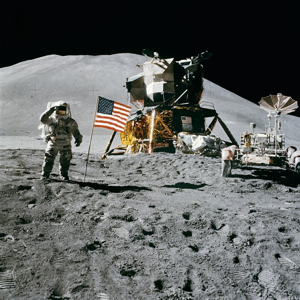
NASA is one of the world’s most prolific producers of scientific data, imagery, and research. Through its open data initiative, NASA provides public access to a wide range of APIs that expose everything from breathtaking space images to detailed Earth science measurements and near-Earth object tracking data.These APIs allow developers, researchers, educators, and hobbyists to integrate authoritative space and science data directly into their applications.
Integrating with NASA APIs using Python is especially appealing because Python excels at data retrieval, analysis, visualization, and automation.Whether you are building an educational website, a data analysis pipeline, a scientific dashboard, or a creative project showcasing space imagery, NASA’s APIs offer an incredible foundation.
This article provides a detailed, end-to-end guide to integrating with NASA APIs using Python.It covers API authentication, key endpoints, image retrieval, scientific datasets, error handling, performance considerations, and responsible usage.All examples are written in Python and designed to be practical, readable, and adaptable to real-world projects.
Overview of NASA’s Open APIs
NASA maintains a centralized API portal that documents dozens of APIs across different missions and scientific disciplines.Some APIs focus on astronomy and space exploration, while others emphasize Earth science, climate, and planetary data.Most APIs are REST-based and return data in JSON format, making them easy to consume with Python.
Popular NASA APIs include:
- Astronomy Picture of the Day (APOD)
- NASA Image and Video Library
- Mars Rover Photos
- Near Earth Object Web Service (NeoWs)
- Earth imagery and asset metadata
- Exoplanet and space science datasets
While each API serves a different purpose, they share common design principles, including consistent authentication and predictable response structures.
Getting a NASA API Key
Most NASA APIs require an API key.Registration is free and intended to help NASA monitor usage and maintain service quality.For development and testing, NASA also provides a demo key, but it comes with stricter rate limits.
Once you have an API key, it is typically passed as a query parameter named api_key.For production applications, storing the key securely in environment variables is recommended.
Setting Up Your Python Environment
To integrate with NASA APIs, you need a modern Python environment.Python 3.8 or newer is recommended.The primary dependency used throughout this article is the requests library.
Install it using pip:
pip install requestsFor image handling or data analysis, additional libraries such as Pillow, matplotlib, or pandas can be helpful, but they are optional and not required for basic integration.
Making Your First NASA API Request
A simple starting point is the Astronomy Picture of the Day (APOD) API.This API returns a daily image or video along with descriptive metadata.
import requestsapi_key = "YOUR_NASA_API_KEY"url = "https://api.nasa.gov/planetary/apod"params = { "api_key": api_key}response = requests.get(url, params=params)response.raise_for_status()data = response.json()print(data["title"])print(data["explanation"])print(data["url"])This example demonstrates the core workflow used across most NASA APIs: construct a URL, pass query parameters, send a GET request, and parse the JSON response.
Downloading and Saving NASA Images
Many NASA APIs return URLs pointing to images hosted on NASA servers.You can download and store these images locally using Python.
image_url = data["url"]image_response = requests.get(image_url)image_response.raise_for_status()with open("apod.jpg", "wb") as f: f.write(image_response.content)This pattern is useful for archiving images, building galleries, or performing image analysis.Always verify whether the media type is an image, as some APOD entries link to videos.
Using the NASA Image and Video Library API
The NASA Image and Video Library API provides access to millions of images, videos, and audio files from NASA’s archives.It supports searching by keyword, media type, year, and more.
url = "https://images-api.nasa.gov/search"params = { "q": "moon", "media_type": "image"}response = requests.get(url, params=params)data = response.json()items = data["collection"]["items"]for item in items[:5]: title = item["data"][0]["title"] print(title)Each item includes metadata and links to image assets.This API is ideal for building search tools, educational content, and media-rich applications.
Retrieving Mars Rover Photos
One of the most popular NASA APIs provides access to images taken by Mars rovers.You can query photos by rover, Martian sol, Earth date, and camera.
url = "https://api.nasa.gov/mars-photos/api/v1/rovers/curiosity/photos"params = { "sol": 1000, "api_key": api_key}response = requests.get(url, params=params)data = response.json()for photo in data["photos"][:5]: print(photo["img_src"])Mars rover images are often used in visualization projects, research, and educational materials.The API also exposes metadata such as camera name and rover status.
Working with Earth Imagery APIs
NASA provides APIs that expose Earth imagery and metadata based on geographic coordinates.These APIs are especially useful for environmental monitoring, climate research, and geospatial applications.
url = "https://api.nasa.gov/planetary/earth/imagery"params = { "lat": 37.7749, "lon": -122.4194, "date": "2023-01-01", "dim": 0.1, "api_key": api_key}response = requests.get(url, params=params)with open("earth.png", "wb") as f: f.write(response.content)This example retrieves satellite imagery for a specific location and date.Such data is valuable for analyzing land use, vegetation, and environmental change.
Near Earth Object Web Service (NeoWs)
The Near Earth Object Web Service provides data about asteroids and comets that pass near Earth.It is commonly used for educational projects, visualizations, and scientific analysis.
url = "https://api.nasa.gov/neo/rest/v1/feed"params = { "start_date": "2023-01-01", "end_date": "2023-01-07", "api_key": api_key}response = requests.get(url, params=params)data = response.json()for date, objects in data["near_earth_objects"].items(): print(date, len(objects))Each object includes orbital data, size estimates, and hazard assessments.This API demonstrates how NASA exposes complex scientific data in accessible formats.
Handling Errors and Rate Limits
When integrating with NASA APIs, robust error handling is essential.Requests may fail due to network issues, invalid parameters, or rate limits.
try: response = requests.get(url, params=params, timeout=10) response.raise_for_status()except requests.exceptions.RequestException as e: print("Request failed:", e)NASA enforces rate limits based on API keys.Caching responses and avoiding unnecessary repeated requests will help ensure reliability and compliance.
Caching and Performance Considerations
Many NASA datasets do not change frequently.Caching API responses locally or in a database can significantly improve performance and reduce API usage.This is especially important for image-heavy applications.
Batching requests and reusing downloaded assets also improves efficiency.For large-scale projects, consider background jobs or scheduled updates rather than real-time retrieval.
Responsible and Ethical Use of NASA Data
NASA data is provided as a public service.Responsible use includes respecting rate limits, properly attributing NASA as the data source, and understanding licensing terms.
Most NASA data is in the public domain, but some images may include additional attribution requirements.Always review metadata and documentation when redistributing content.
Common Use Cases for NASA API Integration
NASA APIs are used in a wide variety of applications.Educational platforms use them to teach astronomy and Earth science.Researchers integrate them into data analysis pipelines.Developers build dashboards, mobile apps, and visualizations that bring space data to the public.
Creative projects often combine NASA imagery with data storytelling, while scientific tools use the APIs for modeling and analysis.The flexibility of the APIs makes them suitable for both simple and advanced use cases.
Conclusion
Integrating with NASA APIs using Python opens the door to an extraordinary range of scientific and visual data.From stunning space imagery to detailed Earth observations and asteroid tracking, NASA’s open APIs provide reliable, authoritative information for countless applications.
By understanding the structure of the APIs, handling authentication and errors correctly, and following best practices for performance and responsible usage, developers can build robust systems that leverage NASA’s vast data resources.As open science and data-driven exploration continue to grow, the ability to integrate with NASA APIs is a powerful and future-proof skill for any Python developer.
Looking for windows database software? Try Tracker Ten
- PREVIOUS Protecting Data Sovereignty with Single User Database Software Tuesday, July 2, 2024
- NextDatabase Authentication Methods Sunday, June 9, 2024





