Database
Stock Room Inventory Management Database
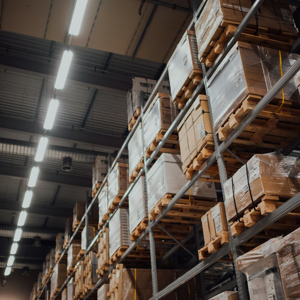
Managing inventory in a stock room is a critical responsibility for many organizations, yet it is often more complex than it appears on the surface. Stock rooms support daily operations by ensuring that materials, parts, and products are available when needed. When inventory tracking is inaccurate or disorganized, the consequences can include delays, wasted money, overstocking, shortages, and frustration for staff. Tracker Ten for Stock is designed to simplify and strengthen stock room inventory management by providing a centralized, flexible, and easy-to-use software solution tailored for modern Windows environments.
At the foundation of effective stock room management is accurate inventory quantity tracking. Tracker Ten for Stock allows each item in the stock room to be recorded as an individual inventory record with clearly defined quantity fields. As items are received, issued, or adjusted, quantities can be updated in real time. This provides immediate visibility into what is on hand and what is running low. Instead of relying on manual counts or spreadsheets that quickly become outdated, stock room staff can trust the database as a reliable source of truth.
The ability to customize inventory records is particularly valuable in stock room environments, where different organizations track different types of items. Tracker Ten includes numerous customizable fields that allow users to tailor the database to their specific needs. A manufacturing stock room may need to track part numbers, specifications, and approved vendors, while an office supply stock room may focus on item categories, reorder thresholds, and usage frequency. By allowing the database structure to reflect real-world requirements, Tracker Ten ensures that inventory data remains relevant and useful.
Barcode generation and printing is one of the most powerful features of Tracker Ten for Stock, especially in busy stock rooms. Each inventory item can be assigned a barcode that can be printed on standard barcode printers. These labels can be applied directly to shelves, bins, or individual items. Barcode scanning dramatically speeds up common tasks such as receiving inventory, issuing items, performing cycle counts, and conducting full stock audits. It also reduces manual data entry errors, which are a common source of inventory discrepancies.
When new inventory arrives in the stock room, Tracker Ten streamlines the receiving process. Staff can create or update inventory records, assign quantities, and generate barcode labels as items are put away. Scanning barcodes during receiving ensures that the correct items are recorded and that quantities are updated accurately. This efficiency is especially important in environments with frequent deliveries or large volumes of stock, where manual processes can quickly become overwhelming.
Issuing inventory from the stock room is another area where Tracker Ten adds significant value. When items are withdrawn for use by a department, project, or individual, quantities can be reduced instantly in the database. Barcode scanning makes this process fast and consistent, even during peak periods. Over time, this creates a detailed usage history that shows how inventory moves through the organization. This visibility helps managers understand consumption patterns and identify opportunities to improve stock room efficiency.
Reorder management becomes much easier when accurate quantity data is available. Tracker Ten allows stock room managers to define reorder points and minimum stock levels for each item. When quantities fall below these thresholds, the system can highlight items that need replenishment. This proactive approach reduces the risk of stockouts that disrupt operations, while also helping avoid overstocking that ties up space and capital. By basing reorder decisions on real data rather than guesswork, organizations can optimize inventory levels.
Visual documentation plays an important role in effective inventory management, and Tracker Ten supports multi-image tracking for each record. Images can be used to show what an item looks like, how it is packaged, or how it should be stored. This is particularly helpful in stock rooms with similar-looking items or complex parts. New or temporary staff can quickly identify the correct item by referencing images, reducing picking errors and saving time.
Rich text edit areas provide space for detailed notes and instructions associated with inventory items. These notes can include handling requirements, safety information, storage conditions, or compatibility details. Rich text formatting improves readability and allows important information to stand out. Over time, these notes become a valuable reference that supports consistent and safe handling of stock room inventory.
Reporting and graphing capabilities transform raw inventory data into meaningful insights. Tracker Ten for Stock offers flexible, full-color reporting options that allow users to generate inventory summaries, usage reports, and valuation reports. Managers can see which items are used most frequently, which sit unused for long periods, and how inventory value changes over time. Graphs provide visual representations of trends, making it easier to spot patterns and make informed decisions.
These reports are useful not only for day-to-day management but also for planning and budgeting. Understanding historical usage helps forecast future demand and supports more accurate purchasing decisions. Reports can also be used during audits, inspections, or management reviews, providing clear documentation of inventory status and control processes.
Tracker Ten’s powerful search capabilities are especially valuable in stock rooms with large or diverse inventories. Users can quickly locate items based on a wide range of criteria, such as item name, category, location, quantity, or supplier. This reduces the time spent searching for information and allows staff to focus on productive work. Fast and accurate searches also improve responsiveness when other departments request information about stock availability.
Flexibility is a key advantage of Tracker Ten for Stock. Because the software includes numerous customizable fields and layout options, it can be adapted to almost any type of stock room inventory application. Whether tracking raw materials, finished goods, spare parts, tools, or consumables, the system can be configured to match existing processes. This adaptability reduces the learning curve and increases user acceptance.
The software’s modern design, built specifically for newer versions of Windows, ensures a responsive and user-friendly experience. A clean interface makes it easier for staff to enter data accurately and consistently. This is particularly important in stock room environments where multiple users may interact with the system and where usability directly affects data quality.
As organizations grow, stock room complexity often increases. New locations, additional product lines, and higher transaction volumes place greater demands on inventory systems. Tracker Ten scales with these needs by allowing additional records, images, and custom fields without compromising performance. This makes it suitable for small stock rooms as well as larger operations with more demanding requirements.
Accuracy and accountability are central to good stock room management, and Tracker Ten supports both. By maintaining a clear record of inventory quantities, movements, and updates, the software reduces disputes and uncertainty. When discrepancies do occur, detailed records make it easier to investigate and resolve issues. This transparency builds confidence among staff and management alike.
Over time, the data stored in Tracker Ten becomes a strategic asset. Historical inventory information supports continuous improvement by revealing inefficiencies, waste, and opportunities for optimization. Managers can evaluate which items are essential, which can be reduced, and which may be obsolete. This data-driven approach leads to better use of space, budget, and staff time.
In daily operation, Tracker Ten for Stock simplifies what is often a demanding and detail-oriented task. By bringing inventory quantities, barcodes, images, notes, reports, and customization into a single system, it replaces fragmented processes with a cohesive workflow. Stock room staff spend less time on paperwork and manual counts and more time ensuring that materials are available where and when they are needed.
Ultimately, effective stock room inventory tracking is about reliability and control. Organizations depend on their stock rooms to support operations without interruption. Tracker Ten for Stock provides the tools needed to maintain accurate records, respond quickly to changing demands, and plan confidently for the future. By combining ease of use with powerful features, the software helps turn stock room inventory management into a streamlined, data-driven process that supports efficiency and accountability across the organization.
Looking for windows database software? Try Tracker Ten
- PREVIOUS What To Consider When Choosing A Reliable Shipping Company Thursday, December 14, 2023
- NextAsset Tracking Database for Insurance Inventory Saturday, December 2, 2023





