Database
Choosing a Database System for your Home or Business
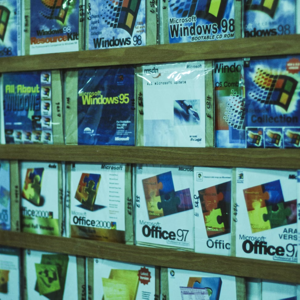
When managing inventory for personal or business purposes, selecting the right database system is crucial. Users often face a choice between cloud-based systems and desktop-based Windows inventory tools. Options range from home inventory software and retail inventory software to stock management applications for PCs. Understanding the strengths and limitations of each approach can help you make the right decision.
Desktop systems, installed directly on your computer, allow you to manage your inventory locally. All data stays on your PC and is fully controlled by you. You don’t rely on the internet, and there are no recurring bandwidth charges. For example, Tracker Ten stores data locally, ensuring privacy and control.
Cloud-based systems store information on remote servers. These may be large-scale providers like Microsoft Azure or Amazon Web Services, or smaller providers scattered online. Cloud systems offer remote access and automated backups but often come with recurring subscription fees and depend on internet connectivity.
Types of Commercial Database Systems
Enterprise-level databases, such as Oracle, Microsoft SQL Server, and SAP, offer extensive functionality. Open-source alternatives include MySQL, PostgreSQL, and MariaDB. These systems are designed for thousands of users and complex transaction processing. However, for small businesses or home inventory, these may be overkill. Their setup often requires multi-tier architecture, with separate layers for user interfaces, APIs, and database engines.
Enterprise systems typically need professional database administrators (DBAs) to maintain performance, optimize queries, and design database architecture. Hiring a DBA can be costly and unnecessary for individual users. Desktop solutions like Tracker Ten remove this complexity, providing a ready-to-use, pre-designed database optimized for inventory management.
Database Terminology Simplified
Common terms like DBMS, SQL Server, Redis, OCS Inventory API, and SAP may be confusing. They all relate to systems for storing and retrieving data. Desktop systems like Tracker Ten use proprietary formats, handling normalization, table relationships, and atomic values behind the scenes. Users focus on inventory management rather than technical jargon.
The software comes with example databases for various uses, such as:
- Retail stock management
- Collections (antiques, collectibles, tools)
- Equipment and machinery tracking
- Customer or personnel management
A step-by-step online manual guides users through installation and setup, allowing quick adoption even for non-technical users.
C# Windows Database Applications
Many desktop inventory systems use C# with Windows Forms. These applications are lightweight, fast, and compatible with modern PCs. Systems like Tracker Ten track both tangible items (tools, antiques, collectibles) and intangible items (events, tasks, personnel).
Built-in features such as search and reporting enable users to generate custom reports, track stock levels, and analyze data without additional tools. Unlike enterprise systems, these desktop applications require no servers, third-party licenses, or advanced IT skills, offering a practical, cost-effective solution.
Microsoft Access and Excel Integration
Many users start with Microsoft Excel to manage inventory, using spreadsheets to track items, employees, or training. However, as inventory grows, spreadsheets may become insufficient. Users often migrate to SQL-based systems or hire developers to convert data.
Tracker Ten simplifies this process. Excel files can be exported as CSV and imported directly into the software, avoiding costly developer fees and reducing the risk of errors.
Single-User vs Multi-User Systems
Single-user desktop systems store data locally, giving users full control and security. Backups are simple: copy the database file to another location. Multi-user systems allow multiple users to access data simultaneously, often over a network or cloud. Tracker Ten is a single-user system but custom multi-user solutions can be developed using a similar Windows Forms interface.
Benefits of a Desktop Inventory System
- Full Control: Data remains local and private.
- Cost Efficiency: One-time purchase with no recurring fees.
- Ease of Use: Pre-configured databases allow immediate use.
- Security: Reduced risk of online breaches.
- Performance: Local storage ensures fast access.
- Customization: Adaptable to your specific inventory needs.
Example Use Cases
| Use Case | Description | Recommended System |
|---|---|---|
| Home Inventory | Track personal belongings, collectibles, or home appliances | Tracker Ten |
| Small Business Retail | Manage stock levels, sales, and customer orders | Tracker Ten or custom multi-user solution |
| Equipment Management | Track heavy equipment, tools, and machinery usage | Tracker Ten |
| Personnel & Events | Track employee information, training, or event participation | Tracker Ten |
Comparison: Cloud vs Desktop Inventory
| Feature | Cloud System | Desktop System |
|---|---|---|
| Data Storage | Remote servers | Local computer |
| Access | Any device with internet | Single PC (multi-user possible with custom solution) |
| Recurring Costs | Subscription or usage-based fees | One-time purchase |
| Security | Managed by provider | Controlled by user |
| Setup Complexity | Depends on provider, often minimal | Pre-configured, ready-to-use |
Getting Started with Desktop Inventory
To begin using a desktop inventory system like Tracker Ten:
- Download and install the software on your Windows PC.
- Explore example databases to understand structure and workflow.
- Import existing data from Excel or CSV files.
- Customize fields and categories to suit your inventory.
- Use integrated reporting tools to generate insights and summaries.
- Regularly back up your database to secure storage.
These steps allow you to quickly start managing inventory while maintaining full control over your data.
Conclusion
Choosing a database system requires consideration of your technical expertise, budget, and inventory needs. Desktop systems like Tracker Ten offer a practical, affordable, and secure solution for home users and small businesses. They simplify setup, remove the need for professional DBAs, and provide an intuitive interface for managing inventory efficiently.
Cloud-based systems have advantages such as remote access and automated backups but involve recurring costs and reliance on internet connectivity. Ultimately, desktop inventory systems provide robust functionality, security, and ease of use for users seeking a reliable solution without the complexity of enterprise-level systems.
If you have questions or need a customized inventory solution, please contact us for support. Our team is ready to help you implement a system that fits your requirements and ensures effective inventory management.
Looking for windows database software? Try Tracker Ten
- PREVIOUS Adding Multi-Language Support to a Database Tuesday, February 6, 2024
- NextMonetizing data Sunday, January 7, 2024





