Database
Inventory Control for your Small Business
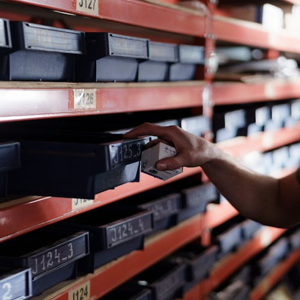
Tracker Ten is a modern Windows-based inventory management solution designed to meet the practical needs of small businesses that want powerful inventory control without the complexity of enterprise systems. For many small organizations, inventory is one of their most valuable assets, yet it is often tracked using spreadsheets, handwritten notes, or outdated software that cannot keep up with daily operations. Tracker Ten offers an accessible but robust alternative, providing tools that help businesses gain visibility, accuracy, and confidence in how they manage stock.
At its core, Tracker Ten focuses on inventory quantity tracking, which is the foundation of any effective inventory system. Small businesses often struggle with knowing exactly how much stock they have on hand, where it is located, and when it needs to be replenished. With Tracker Ten, inventory quantities are stored in a centralized database that can be updated as items are received, sold, transferred, or adjusted. This reduces the guesswork that leads to overstocking or running out of critical items. Accurate quantity tracking helps business owners make informed purchasing decisions, manage cash flow more effectively, and avoid disappointing customers due to stock shortages.
One of the standout features of Tracker Ten is its integrated barcode generation and printing capability. For small businesses, barcode systems are often seen as expensive or overly technical, but Tracker Ten simplifies the process. Users can generate barcodes directly within the software and print them to standard barcode printers. This makes it easy to label products, bins, shelves, or packages. Once barcodes are in place, inventory updates become faster and more accurate, as staff can scan items instead of manually entering data. This reduces human error and speeds up routine tasks such as receiving shipments, fulfilling orders, or performing inventory counts.
Tracker Ten also includes shelf movement tracking, which is particularly valuable for businesses with limited space or multiple storage locations. Small warehouses, retail back rooms, repair shops, and storerooms often reorganize inventory to make better use of space or respond to seasonal demand. Shelf movement tracking allows users to record when items are moved from one shelf or location to another. Over time, this creates a clear history of where items have been stored, making it easier to locate products quickly and understand how inventory flows through the business. This feature is especially useful for businesses that handle a wide range of products or components and need to minimize time spent searching for items.
Another area where Tracker Ten shines is documentation and record detail. Each inventory record can include rich text edit areas, allowing businesses to store detailed descriptions, notes, handling instructions, or internal comments. For example, a small manufacturing business might include assembly notes or quality checks, while a retail business might record supplier details or promotional notes. The ability to use rich text means information can be clearly formatted, making it easier for staff to read and understand. This level of detail supports consistency, training, and accountability across the organization.
Tracker Ten also supports multi-image tracking for each inventory record, which is a powerful tool for small businesses that deal with visual products or complex items. Being able to attach multiple images to a single item allows staff to quickly identify products, verify variations, or check condition. For example, a business selling refurbished electronics could store images showing different angles of a device, while a parts supplier could include photos that help distinguish similar components. This visual reference reduces mistakes and improves efficiency, especially for new employees or businesses with a diverse product catalog.
Click here to get a free demo of Tracker Ten for Inventory Control.
Reporting is another critical aspect of inventory management, and Tracker Ten provides flexible, full-color reporting and graphing tools. Small business owners often need clear, understandable reports to make decisions, whether they are reviewing stock levels, sales trends, or inventory value. Tracker Ten’s reporting features allow users to generate professional-looking reports that can be printed or shared digitally. Graphs and charts help turn raw data into insights, making it easier to spot trends, identify slow-moving items, or plan for upcoming demand. This visual approach to reporting is especially helpful for business owners who may not have a background in data analysis but still need reliable information.
Re-order reporting is particularly valuable for maintaining smooth operations. Running out of key products can damage customer trust, while over-ordering ties up cash and storage space. Tracker Ten can generate re-order reports that highlight items approaching their minimum stock levels. This allows businesses to plan purchases proactively rather than reacting to shortages. For small businesses with limited staff, automated or semi-automated re-order reporting reduces the mental burden of tracking dozens or hundreds of items manually.
Customization is one of Tracker Ten’s most important strengths for small business use. The software includes numerous customizable fields, allowing it to be adapted to almost any type of inventory tracking application. This flexibility means Tracker Ten can support retail products, spare parts, tools, equipment, raw materials, or finished goods. A service-based business might track tools and assets, while a wholesaler might focus on product batches and suppliers. Because the fields can be tailored to match the business’s terminology and processes, Tracker Ten fits into existing workflows rather than forcing the business to change how it operates.
Being designed specifically for newer versions of Windows also makes Tracker Ten appealing to small businesses that rely on modern desktop systems. Compatibility with current Windows environments means smoother installation, better performance, and improved security compared to legacy software. Many small businesses prefer desktop-based solutions because they offer direct control over data and do not require ongoing subscription fees or constant internet access. Tracker Ten aligns well with this preference, providing a powerful local solution that still feels modern and user-friendly.
From an operational standpoint, Tracker Ten can significantly improve day-to-day efficiency. Tasks that once took hours, such as manual inventory counts or spreadsheet updates, can be completed more quickly and with greater accuracy. Staff can spend less time on administrative work and more time serving customers, improving products, or growing the business. Clear records and consistent processes also reduce stress, as owners and employees can trust the data they are working with.
For growing small businesses, Tracker Ten provides a solid foundation that can scale with increased inventory complexity. As product lines expand or storage locations multiply, the software’s tracking, reporting, and customization features continue to support more advanced needs. This reduces the likelihood that the business will need to switch systems frequently, which can be costly and disruptive.
In summary, Tracker Ten is a comprehensive inventory management solution well suited to the needs of small businesses. Its combination of quantity tracking, barcode generation, shelf movement tracking, rich documentation, image support, and flexible reporting creates a balanced system that is both powerful and approachable. The ability to customize fields and adapt the software to different inventory types ensures relevance across industries. By providing accurate data, improving efficiency, and supporting better decision-making, Tracker Ten can play a central role in helping small businesses manage inventory effectively and operate with greater confidence.
Looking for windows database software? Try Tracker Ten
- PREVIOUS Intellectual Property Issues For Your Database Friday, February 16, 2024
- NextAdding Multi-Language Support to a Database Tuesday, February 6, 2024





