Database
Storing Images in a Database vs File System
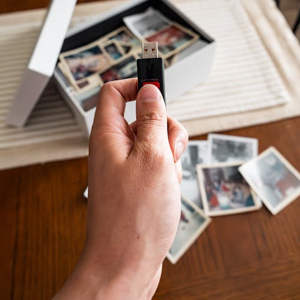
Due to their large file sizes, storing images in a database can present significant technical and performance challenges. Accordingly, many systems opt to store images in a file system rather than directly in a database. The alternative—storing image files in the database as Binary Large Objects (BLOBs)—can consume huge amounts of memory, slow down queries, and reduce overall database performance. Instead, the more efficient approach is to store only pointers or references to images in the database while keeping the actual files in a file system. This is the approach used by Tracker Ten, which stores image copies on your file system while maintaining pointers in the database itself. This hybrid approach is common among SQL and other popular database systems.
Storing Images in a Database: Pros and Cons
Microsoft conducted a study to determine the performance implications of storing images directly in a database. Their findings suggested that images smaller than 256 KB can be stored efficiently in a database, but for larger files, it is far more practical to store them on disk and use database references. Retrieving larger images directly from a database can take up to 10 times longer than fetching them from the file system. Additionally, the storage cost in a database is often higher compared to storing the same files on disk. With modern cameras producing high-resolution images in the multi-megapixel range, storing these large images in a file system is significantly more efficient and practical.
However, storing images outside the database has some drawbacks. Backup and recovery can become more complex because you need to back up both the database file and the associated image files. In Tracker Ten, this is simplified as all images are stored in the document directory, which can be easily backed up to an external hard drive or cloud storage. Another limitation is security: images on your file system are not inherently encrypted or password-protected. To protect sensitive images, users must rely on operating system-level security, such as storing files in a personal Windows account, since Tracker Ten does not encrypt images by default.
Uploading Digital Camera Pictures to a Database
Getting pictures from a digital camera into a database is straightforward. Most cameras can be connected to a computer via USB, allowing the camera to appear as an external drive. Once connected, the images can be dragged directly into Tracker Ten’s image area. Alternatively, the software provides a browsing function to select images from the camera’s storage and import them directly into the database. This process makes it simple for photographers and hobbyists to keep a comprehensive digital catalog of their images, organized and indexed for easy retrieval.
Handling Raw Image Files from Cameras
Professional photographers often prefer to shoot in RAW format, which preserves unprocessed image data directly from the camera sensor. RAW files offer higher quality and more flexibility for post-processing adjustments, such as white balance, exposure correction, and tonal adjustments. However, RAW files are not directly recognized as images by most software, including Tracker Ten. To manage RAW images, you can set up user-defined fields to point to the RAW files on your system. Once the images are processed and converted to JPEG or PNG, they can be imported directly into the database for easy access. Retaining the original RAW files is also recommended, in case additional editing is required in the future.
Accessing Images in a Database
Viewing images stored in a database is simple. Navigate to the appropriate record, and the software displays associated images in the Images tab. If needed, you can access the original image file directly in your computer’s "My Documents" or application-specific directory, often stored in AppData with filenames linked to the database record ID. This hybrid storage approach provides the flexibility to work with images both inside and outside the database, combining efficient access with storage scalability.
Tracker Ten also features automatic image resizing for thumbnails, allowing quick previews without loading large files. Built-in reporting tools enable you to include images in catalogs, inventory lists, or client-facing documents. Additionally, the Photo Album View displays images in a digital photo album format, resizing them to fit the screen and providing an intuitive and visually appealing interface for browsing large collections.
Storing Images with Metadata in a Database
One of the main advantages of storing images in a database is the ability to associate extensive metadata with each file. While image files themselves often contain metadata, such as aperture, shutter speed, focal length, and DPI, additional descriptive information may be necessary. Tracker Ten allows you to add metadata such as the location where the picture was taken, names of people in the photo, event information, and categorization like landscape, portrait, or macro photography. Unlike simple file storage, the database ensures that metadata remains linked to each image, simplifying search, retrieval, and reporting.
Adding metadata in a database eliminates the need for sidecar files, which are separate files used to store metadata for standard images. Renaming or reorganizing records does not break the association between image and metadata. Backing up both the database file and the image directory ensures that all information, including metadata, can be restored seamlessly. This approach provides greater organization, reduces the risk of metadata loss, and makes large-scale image management feasible.
Optimizing Performance and Scalability
Efficient image management in databases involves optimizing both storage and retrieval. By storing images as files and referencing them in the database, software can reduce memory consumption and accelerate queries. Additionally, generating thumbnails or smaller versions of images for quick previews minimizes the need to load full-resolution files for every operation. For professional photographers, agencies, or art collectors managing thousands of images, this approach ensures that performance remains consistent even as the collection grows.
Scalability is another critical factor. File systems can handle extremely large volumes of image data without the same performance degradation seen in databases storing large BLOBs. At the same time, databases provide the organizational framework to manage indexing, search, and reporting, creating an ideal balance between speed, reliability, and data management capabilities.
Best Practices for Database Image Management
When managing images in a database environment, consider the following best practices:
- Organize files logically: Store images in structured directories by project, date, or category to facilitate backup and recovery.
- Use standardized naming conventions: Consistent file names linked to database record IDs reduce errors and simplify search and retrieval.
- Maintain metadata: Include detailed metadata for all images, including date, location, subject, and any relevant descriptive information.
- Regular backups: Backup both the database and the file directories to prevent loss from hardware failure, accidental deletion, or corruption.
- Optimize image size: Use high-resolution images when necessary, but generate thumbnails and compressed versions for fast access and display.
- Access control: Store sensitive images in secure folders with appropriate permissions, especially if they are not encrypted by the database software.
Use Cases and Applications
Image storage management is relevant across many industries and applications. Professional photographers benefit from organizing RAW and processed images alongside metadata for client projects. Art galleries and museums can maintain digital catalogs of exhibits, tracking provenance, exhibition history, and associated documentation. Businesses storing product images, medical records, or scientific data can also leverage the hybrid file system/database approach for efficiency and organization. Using software like Tracker Ten enables these use cases by providing intuitive interfaces, reporting, and metadata management.
Even hobbyists and personal users can benefit. Collectors of toy cars, stamps, artwork, or any visual media can catalog their collections efficiently. The combination of image pointers, metadata, and database organization ensures that their collections are easily searchable, displayable, and secure.
Conclusion
Deciding whether to store images in a database or a file system involves weighing performance, convenience, and backup considerations. Large image files are typically best stored in the file system, with database pointers providing organizational structure. This hybrid approach, as used by Tracker Ten, allows for fast retrieval, flexible metadata management, efficient reporting, and long-term scalability. By following best practices and leveraging specialized software, users can maintain large collections of images in a manner that is both organized and secure, ensuring that the images remain accessible and well-documented for years to come.
Looking for windows database software? Try Tracker Ten
- PREVIOUS ACID Database Transactions Wednesday, August 30, 2023
- NextClient Tracking Software for Consultants Saturday, August 26, 2023





